
Appearance
Dashboard
Online documentation, support forum, and premium support are available via the icon buttons on the toolbar.
The Code Manager dashboard contains two different types of views:
- List View - Table format
- Code View - Tab-based editing
List View
The List View is shown by default and displays all stored code blocks in a table format.
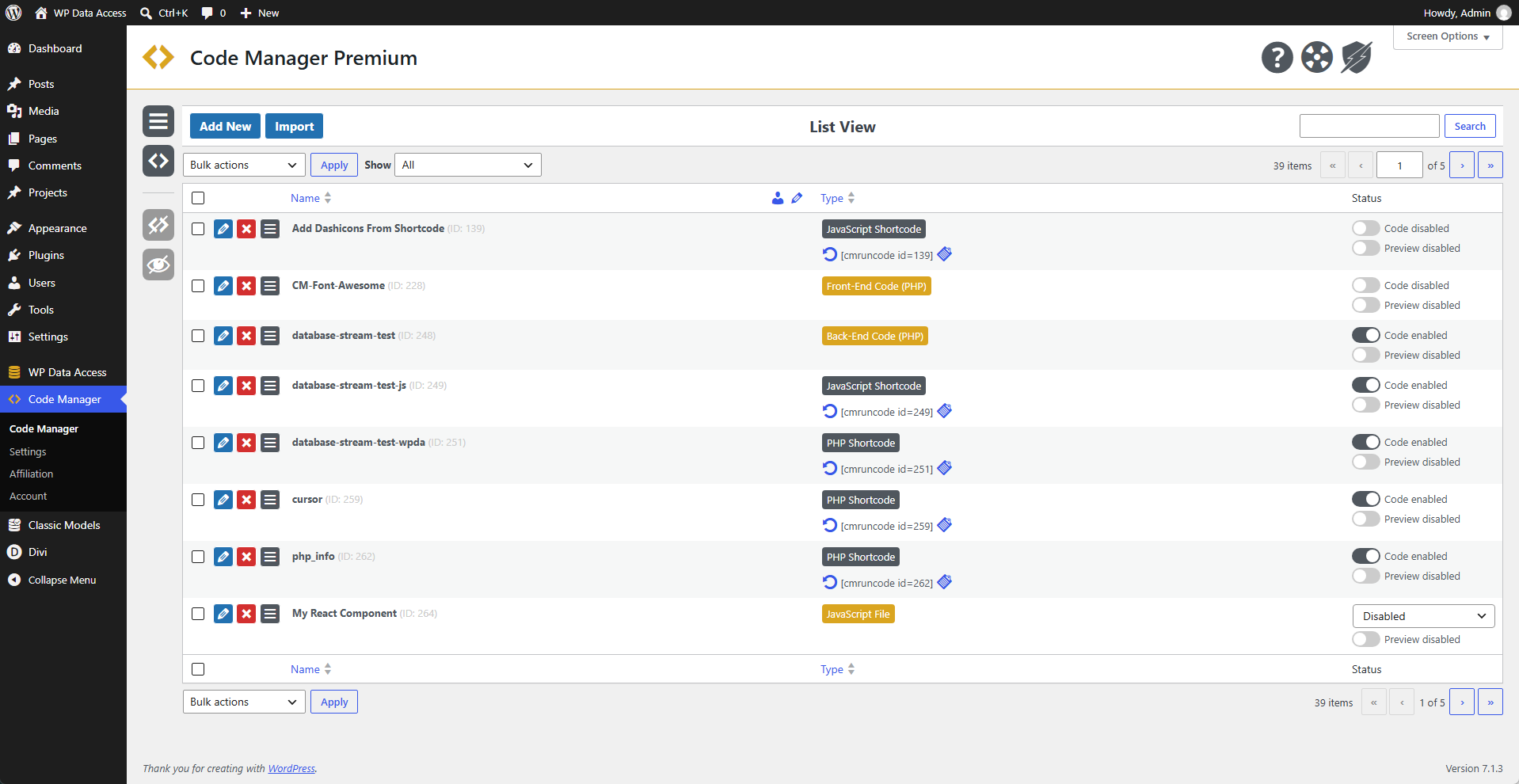
📌 The number of displayed rows can be changed via Screen Options.
📌 Code author and description are hidden by default (toggle to display).
Code View
To navigate to the Code View:
- Click the Edit icon for a specific code block.
- Click the Code View icon on the vertical toolbar.
- Click the Add New button.
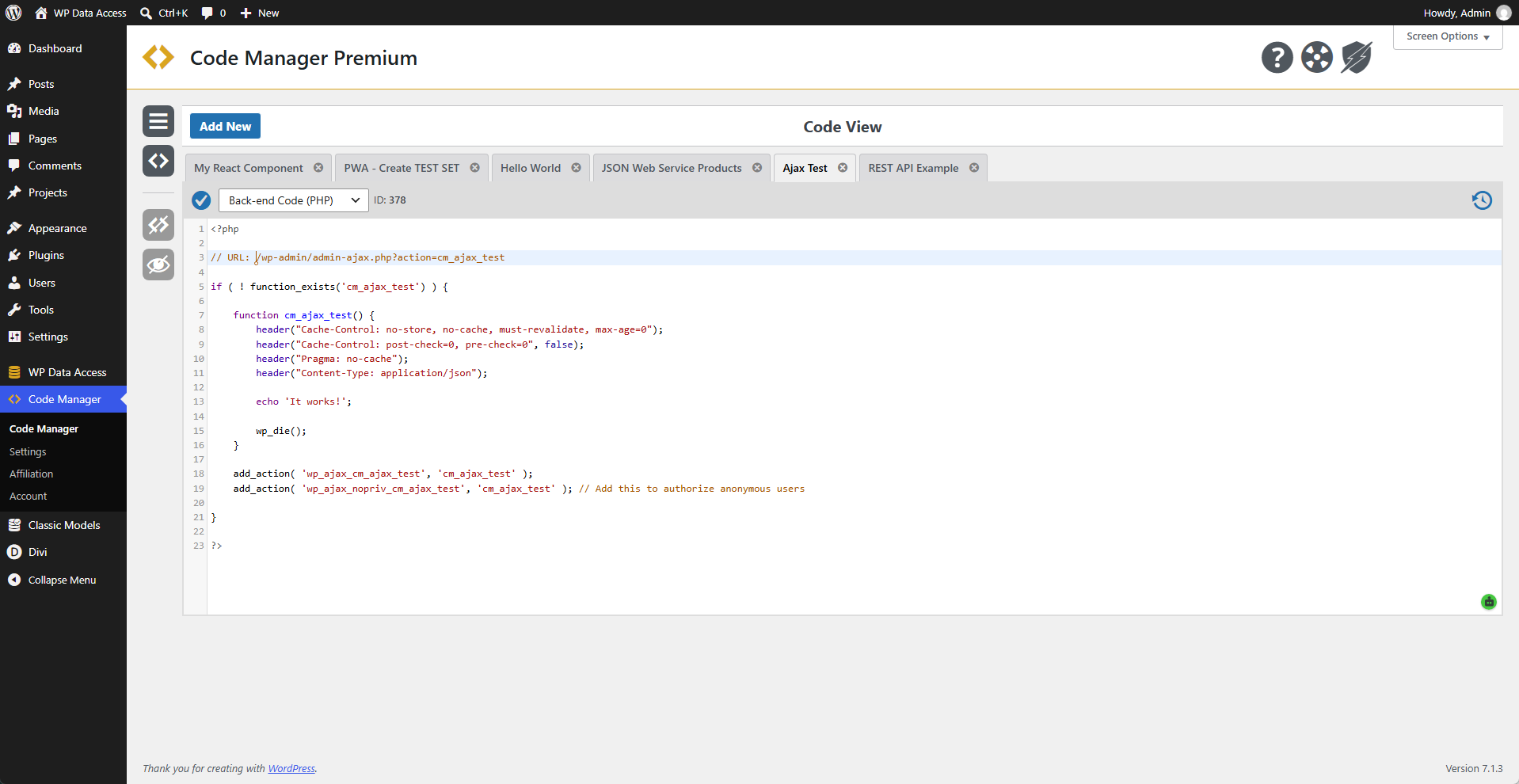
📌 Use the refresh icon to reload the code from your server.
📌 Double-click on the code name to change it.
📌 Code is automatically disabled when the code type is changed.
Settings
Define your plugin settings.
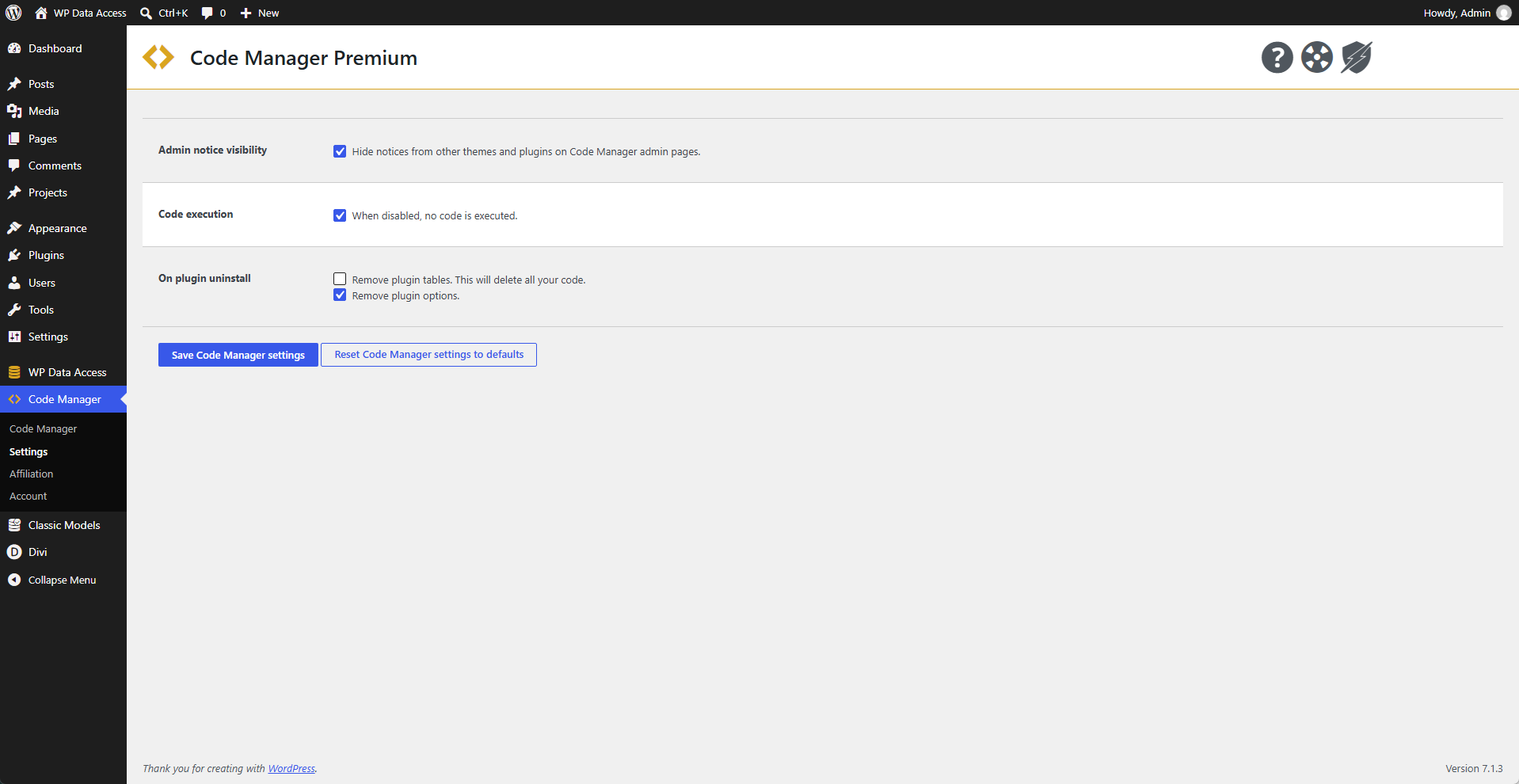
📌 Notices are automatically hidden to improve the code editing experience.
📌 Disabling code execution will stop the execution of all saved code.